Category: Uncategorized
-
Capturing, Editing, and Sharing Photospheres and Panoramas. 
CAPTURE A PHOTOSHPERE – To download the google street view app for iphone or android 1. In the google street view app take a new photosphere 1.5 Send the photosphere to your computer and open it in photoshopAfter exporting, the photosphere will appear as an Equirectangular Projection. You can explore other Equirectangular Projections here. EDIT OR MAKE YOUR OWN PHOTOSPHERE…
-
Introduction
My name’s Zhipeng Sun (he/him). You can just call me Sepp since my original name is quite difficult to pronounce. I just joined the class this week and I’m currently in Eastern Standard time zone. I usually waste my time on Twitch. Really nice to meet you guys.
-
1/31 Photography as a data visualization
PhotoViz a concept by Nicholas Felton“PhotoViz argues that in a world overwhelmed with both data and photography, there is an increased need for both aggregating photos and for making data stories more evocative. This collection is composed of projects based on photography that demonstrate patterns, reveal the invisible and tell more descriptive stories than either traditional…
-
1/26 Landscape Photography from Bed
Virtual Landscapes Machinima and Ingame Photography- the use of real-time three-dimensional graphics rendering engines to generate computer animation or photographs. In-game intervention and performance- Using a game in a non player manner to intervene or comment on issues outside of the games intention Site-specific installations- Creating artful installations inside of virtual spaces Generative art mods-…
-
UNIT 1 Speed Project #1: Landscape Photography from Bed
DUE MONDAY JAN 31. Using the lecture “Landscape Photography from Bed” and the essay Screen Memories as a reference, make a project that uses screenshots as a lens for virtual landscape photography. Review the prompts below Produce a single image, or make a series of images. Add the images you made to a blog post. Add…
-
1/24 WELCOME
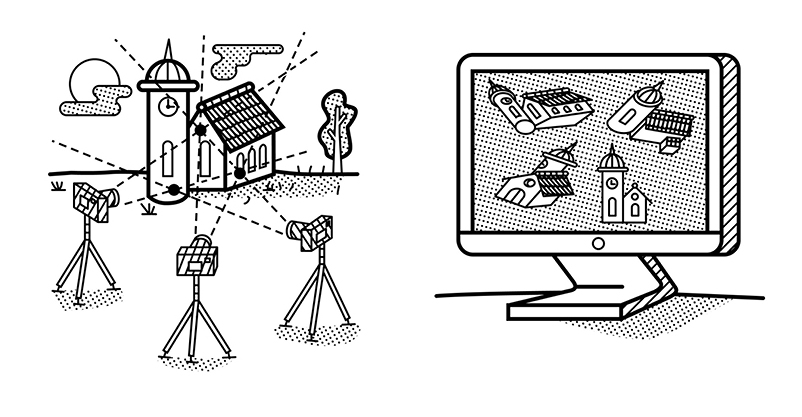
CLASS PART ONE: Welcome to class! Lets go over the syllabus Lets go over how to make a wordpress post: Please make a short intro post that includes: 1. your name, 2. any preferred nicknames or pronouns, 3. what your timezone is if you are remote and 4. what your current favorite place to “waste”…
-
Content Reports
schedule: https://doodle.com/poll/zih8ixuru6akw3kp *In this assignment we are using “Content” as a catch all word for art, design, online media, technology, and/or any other creative source of inspiration you encounter in the world. This assignment exists to encourage you to consider the content* you encounter outside of this class with a newfound critical and curatorial agenda…
-
How to Post your Assignments to the Class Blog
Accept the invite to join the class blog via email. Make sure you save your username and password. 2. When you login to wordpress you will see the screen below. Click ‘Add new post’ 3. Add your project documentation to the post, including the appropriate title, description or links needed for documenting the assignment. After you have added…
 NEW LENSES: Experimental Capture and Release